Showing posts with label google. Show all posts

2009-08-13

Google Reader Unleashes A Gaggle Of Nice Social And Feed Management Updates

Google Reader Unleashes A Gaggle Of Nice Social And Feed Management Updates: "

picture-37A few days ago, I sent out a tweet wondering how long it would be until Google Reader added a tweet button to the bottom of each feed item. My guess was that it would be very soon. I was quite right. Today, the Google Reader team has unveiled a bunch of new updates to the product, including, yes, the ability to easily tweet any item.


But that’s hardly all this update contains. You can also now easily send feed items to a number of places including Facebook, MySpace, Digg, StumbleUpon, Blogger, and others. To enable any of these, simply go to the “Settings” area of Google Reader and enable the ones you want to use. If the services you want aren’t listed, you can even customize the “Send To” feature to enable sending items just about anywhere.


Another new feature allows you to easily subscribe to feeds owned by people you are contacts with. This is an obvious, but nice addition, as it makes it easier to locate feeds you may be interested in — assuming, of course, that you’re actually interested in the people you follow on Google Reader. This feature also includes Twitter updates, so you can easily import all of those and see that person’s tweets through Google Reader if you don’t feel like scanning Twitter all day.


But the best feature of the bunch may be the ability to have more control over the “Mark all as read” functionality. We all use the “Mark all as read” button when we’re too far behind on our feeds to possibly catch up. But now you can just mark items that older than a day, a week, or two weeks as read, saving the newest ones for you to still be able to read. That’s a great idea.


Google Reader still has some social issues, but it’s hard to argue with any of these features.


picture-93


picture-64

2008-03-20

Google chart API for map

Google去年推出了google chart api,可以用它生成各种图标,非常方便。有人就用C#进行了封装,以生成图表的url,我就把这个url用在了我自己的财务管理工具中了(其实我今天之前的使用也仅限于此,所以对其也不甚了解)。有人还把开发人员指南翻译成了中文版。Google 最近更新了google chart api,
1)取消了每天只能调用50000次的限制(平均大约两秒钟一次),但为防止dos攻击等滥用,对于每天请求超过250000次(平均每秒2.89次)的用户,仍保留封ip的权利。每天250000次,对于一般用户也足够了吧,如果不够,可以发信至chart-api-notifications@google.com
2)增加了雷达图表,这个暂时不知道在什么情况下使用,有时间研究一下

3)增加了地图,这个比较有意思,可以做出很多有意思的地图来。下面是世界上的社会主义国家地图(中国,朝鲜,越南,老挝,古巴),但目前最大只能是440*220,像下图就不是很清楚,或许今后google可以改进一下


Map of the World

第一幅的url是
http://chart.apis.google.com/chart?
cht=t
&chs=440x220
&chd=s:AAAAA
&chco=ffffff,cc0000,cc0000
&chld=CNCUKPLAVN
&chtm=world
&chf=bg,s,eAF7F0

每个参数的意思:
http://chart.apis.google.com/chart?
cht=t 指明使用地图
&chs=440x220 尺寸
&chd=s:AAAAA chld中每个国家对应的颜色值,使用简单编码
  • A = 0, B = 1 , Z = 25.
  • a = 26, b= 27 , z = 51.
  • 0(零) = 52 , 9 = 61

&chco=ffffff,cc0000,cc0000 颜色,三个颜色分别是未标注国家颜色,标注国家颜色起始值,标注国家颜色终止值。结合上面的颜色值,A=0,是简单编码中最小的,所以使用颜色的起始值。若是9,是简单编码的最大之,则使用颜色终止值。若是a,则按比例使用中间的颜色值。简单起见,上图都使用红色(颜色值相同,颜色起始值等于终止值)
&chld=CNCUKPLAVN 标注国家列表,使用iso代码.CN=中华人民共和国CU古巴=KP=朝鲜LA=老挝VN=越南
&chtm=world 地图呈现的区域,目前的可用值:
  • africa 非洲
  • asia亚洲
  • europe 欧洲
  • middle_east 中东
  • south_america 南美
  • usa 美国
  • world 世界
还没有大洋洲和中美洲,当然还有南极洲,不过这个基本上用不到吧
开发人员在group中承诺会增加更多的区域(比较起来,谷歌拼音的开发人员与用户的互动就差多了,不过终于有人出来说话了)


&chf=bg,s,eAF7F0 背景色,即海洋颜色,s表示实体填充

我目前了解的就这些,有时间再研究
期待c# 封装类库和中文翻译的更新。

另参考
阮一峰 Google Chart API
Blogscoped Google Charts API Update
Developer's Guide

2007-10-10

google maps 街景模式增加6个新城市

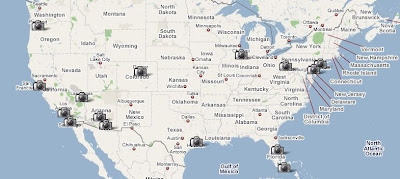
十一长假回来,新闻还真不少,我最感兴趣的是google maps 街景模式又增加了6个新城市:芝加哥,匹兹堡,费城,凤凰城,波特兰,图森,加上八月九号增加的圣迭戈,洛杉矶,休斯顿,奥兰多,以及五月29号开放时的纽约,旧金山,迈阿密,丹佛,拉斯维加斯,目前总共有15个美国城市支持街景模式,在地图上分布如下

而且新增加的城市大多具有仰视视角,如下图,是芝加哥的希尔斯大厦(Sears tower

google 说会尊重隐私,但今天下午我闲逛的时候仍发现很多人脸车牌照,相信google会逐步进行遮盖措施。

2007-08-30

2007-08-27

Google 闹铃

我现在用手机(Moto V180)上的闹铃每天叫我起床。由于它的闹铃功能实在是太弱智弱(据说有的手机闹铃 竟然需要天天设),只有四个选项:名称,时间,铃音,音量。就是说它只能按天重复,不能进行高级设置。所以我为了周末多睡一会儿,就弄了两个闹铃,一个叫 “平时起床”,一个叫“周末起床”。每个周五晚上,把第一个禁用,把第二个启用;到了周日晚上再调换过来。有时候忘了设置,也会出现平时上班迟到或周末被 早早吵醒的情况,十分不爽

现在有了google calendar, 就可用用它的手机短信提醒来每天叫我起床了。一个设在工作日,一个按周设置,只选周六周日,提醒都设置成提前五分钟发送sms提醒。至于手机上呢,把 google calendar的发送号码存为联系人,然后在铃音标志(v180当时让我不爽的是,一旦你为某人设置了铃音标注,那么此人的电话和短信都将成为此铃音) 设为一个比较长而且很难听的曲调 ,这样就不怕睡过头了。

另一个优点异或对某些人来说是缺点的是这样就只会响一次,可能不会把你叫醒(当然你也可以在google calendar里设置多个提醒),而 v180 会一直叫个不停,知道你把闹铃关闭为止。

2007-08-23

Google Earth 4.2,向太空进军

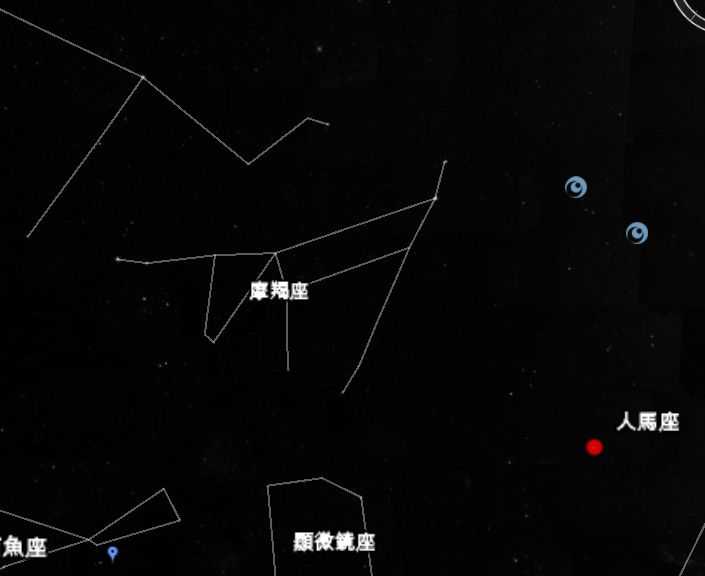
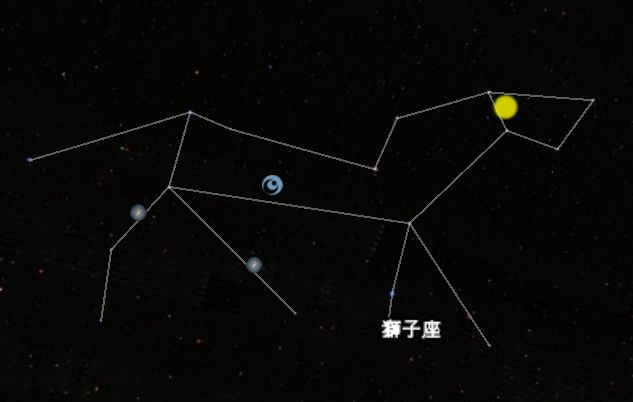
昨天google 发布了GE4.2 beta(下载),最大的变化是添加了对太空(sky)的支持。

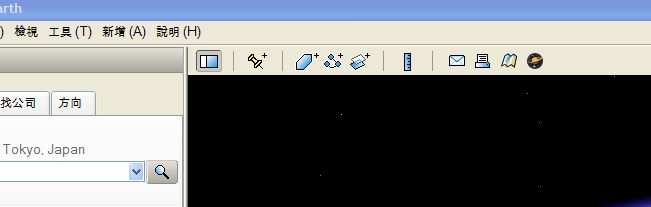
点击工具栏最右边的图标,就可以在地球和太空之间切换了
摩羯座:

狮子座:

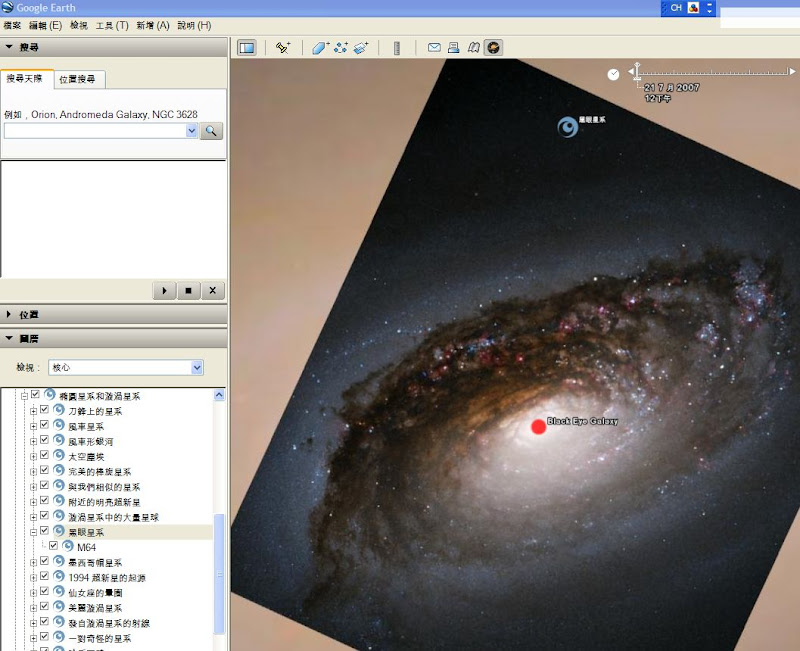
黑眼星系:

google 的使命不仅仅是组织世界的信息,而是整个宇宙的(Google’s mission is no longer to organize the world’s information, but the universe’s. Vint Cerf’s talk at GeoWeb a few weeks ago now takes on a whole new salience. (He cautioned against developing a too Earth-centric internet.)via),google earth,google mars,google moon,到现在的google sky,都证明了这一点
另外google earth已经正式支持繁体中文,google地球。简体中文?大家认为有戏么?
google earth加入图书搜索功能,添加了美国的实时交通图层,youtube video 加入广告,还有前几天的google map支持嵌入网页,这几天google动作真不小